Apple’s iOS runs the same firmware on every device. It can only be customized and updated by Apple’s own developers. However, Android is truly an open source platform. Even you and I can play with it if we have the right tools and proper knowledge.
The Android device can be customized in whatever way we want. We can even make a custom Operating System out of Android. A custom ROM is an upgraded software version for your Android device. For that already-installed OS version, the term stock ROM is used.
There are mainly two reasons why a custom ROM is used. The first one is that you want to remove all that bloatware that comes already installed in your phone. The second is that you you want to do some real customization with your device. Adding splendid themes, overclocking, improving battery life, downloading apps to SD card and making your device’s speed better are some of the exceptional tasks that a custom ROM performs. A custom ROM features its own kernel.
Keep one thing in mind that installing a custom ROM is not like installing an application. It is not that easy and may turn your phone into a brick if something goes wrong.
In this article, we will discuss about some of the most popular Android custom ROMs, their features, pros and cons etc.
 CyanogenMod is the most popular Android ROM out there and has the most number of installations in the world. This is because the ROM is compatible with more Android devices than any other ROM. This custom ROM has three versions CyanogenMod 7, CyanogenMod 10, and CyanogenMod 10.1 which are based on Android 2.3, Android 4.1, and Android 4.2 respectively.
There are many devices that don’t support Android 4.0 (Ice Cream Sandwich ICS) above, so for them, CyanogenMod 7 is the best option. This aftermarket firmware’s features that make it different from the original firmware include easy access to thousands of themes, perfect sound processing options like headphone filtering, dynamic range compression and equalization, more options in notification drop-down menu and some other improvements.
 Paranoid Android is another great custom Android ROM that boosts your device’s usability. The special thing in this custom ROM is its hybrid mode. With this option you can switch among tablet, phablet and smartphone modes. Paranoid Android kicks out the restrictions of Android’s DPI system and in this way, you can run any application no matter if it was built for tablet interface or smartphone interface.
Actually, the ROM lets you play and customize with Android UI by removing those DPI restrictions. You can even choose different color schemes for applications. Multi-window feature is something on which Paranoid Android team is currently working.
Paranoid Android makes your phone’s performance faster but you may encounter some bugs. You may face system crashes and process crashes with annoying frequencies with the tested stable version of this firmware.
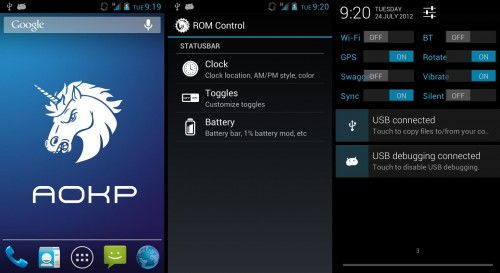 Android Open Kang Project only supports some high-end Android devices. The firmware version is lightweight and empowers your phone’s processing. It also removes the bloatware that comes already installed in an Android device. Ribbons and toggles are two amazing things that have been introduced in this ROM.
Ribbons enable you to launch applications from any screen while through toggles you can get all your phone’s settings right at your fingertips. Just like Paranoid Android, the firmware lets you customize the interface as well as some features of your Android device. Two more features of this ROM are customizable LED notifications and performance tweaks.
 This is another lightweight firmware for Android whose developers have mainly focused on minimalism. Its interface is almost the same as the one you get already installed on your device. However, it offers much more features like profiles and customizable notification drawers.
Another exceptional feature of SlimBean is The Real Dark Slim. Through this, you can invert the colors of your interface with one touch. Along with better performance, the firmware offers better battery life. The ROM has its own Kernel which manages your device’s power well.
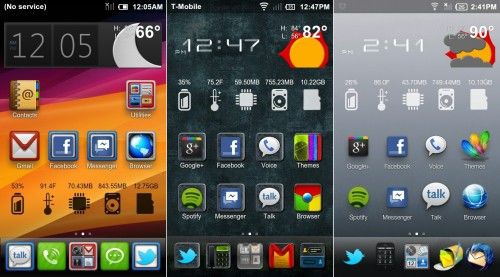 MIUI is not the best Android ROM out there but it definitely needs to be mentioned here just because of its elegant interface and customizable features. It makes your phone’s processing really fast. Formerly, MIUI was a mod created for Android in China, but later on the mod was extended for different languages and countries by its fans. Its worth-mentioning features are support for GApps, full root access, customizable lock screen, and theme support.
The Android device can be customized in whatever way we want. We can even make a custom Operating System out of Android. A custom ROM is an upgraded software version for your Android device. For that already-installed OS version, the term stock ROM is used.
There are mainly two reasons why a custom ROM is used. The first one is that you want to remove all that bloatware that comes already installed in your phone. The second is that you you want to do some real customization with your device. Adding splendid themes, overclocking, improving battery life, downloading apps to SD card and making your device’s speed better are some of the exceptional tasks that a custom ROM performs. A custom ROM features its own kernel.
Keep one thing in mind that installing a custom ROM is not like installing an application. It is not that easy and may turn your phone into a brick if something goes wrong.
In this article, we will discuss about some of the most popular Android custom ROMs, their features, pros and cons etc.
1. CyanogenMod

There are many devices that don’t support Android 4.0 (Ice Cream Sandwich ICS) above, so for them, CyanogenMod 7 is the best option. This aftermarket firmware’s features that make it different from the original firmware include easy access to thousands of themes, perfect sound processing options like headphone filtering, dynamic range compression and equalization, more options in notification drop-down menu and some other improvements.
2. Paranoid Android

Actually, the ROM lets you play and customize with Android UI by removing those DPI restrictions. You can even choose different color schemes for applications. Multi-window feature is something on which Paranoid Android team is currently working.
Paranoid Android makes your phone’s performance faster but you may encounter some bugs. You may face system crashes and process crashes with annoying frequencies with the tested stable version of this firmware.
3. AOKP
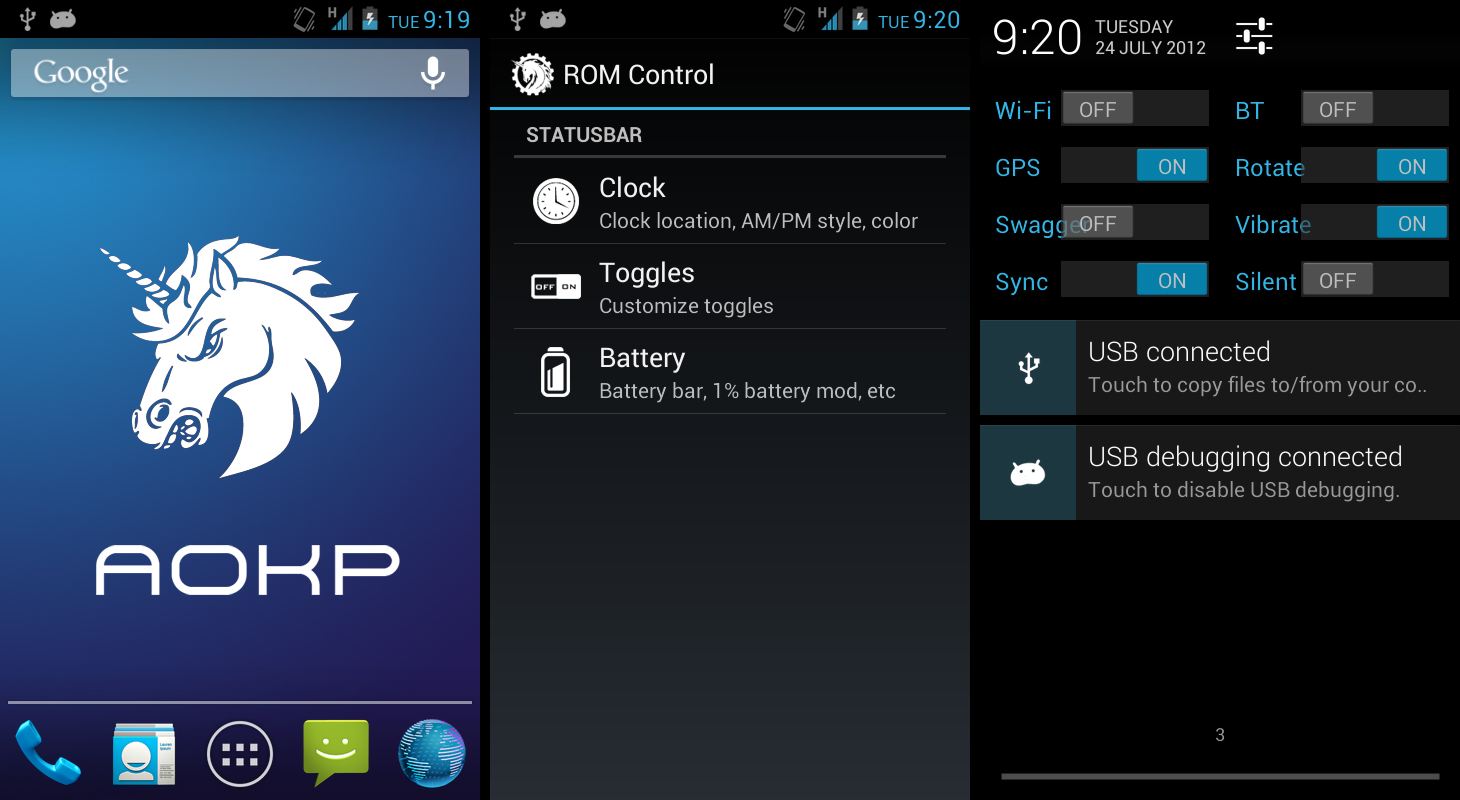
Ribbons enable you to launch applications from any screen while through toggles you can get all your phone’s settings right at your fingertips. Just like Paranoid Android, the firmware lets you customize the interface as well as some features of your Android device. Two more features of this ROM are customizable LED notifications and performance tweaks.
4. SlimBean

Another exceptional feature of SlimBean is The Real Dark Slim. Through this, you can invert the colors of your interface with one touch. Along with better performance, the firmware offers better battery life. The ROM has its own Kernel which manages your device’s power well.
5. MIUI


